
Symptoms
The device's password is incorrect or no longer known.
Instructions for performing a factory reset
- Locate the Reset button.
This is usually found near the USB or Ethernet connection on a device. GMR5000 and GMR6000 reset buttons are in a recessed pin-hole located to the left of the front display.
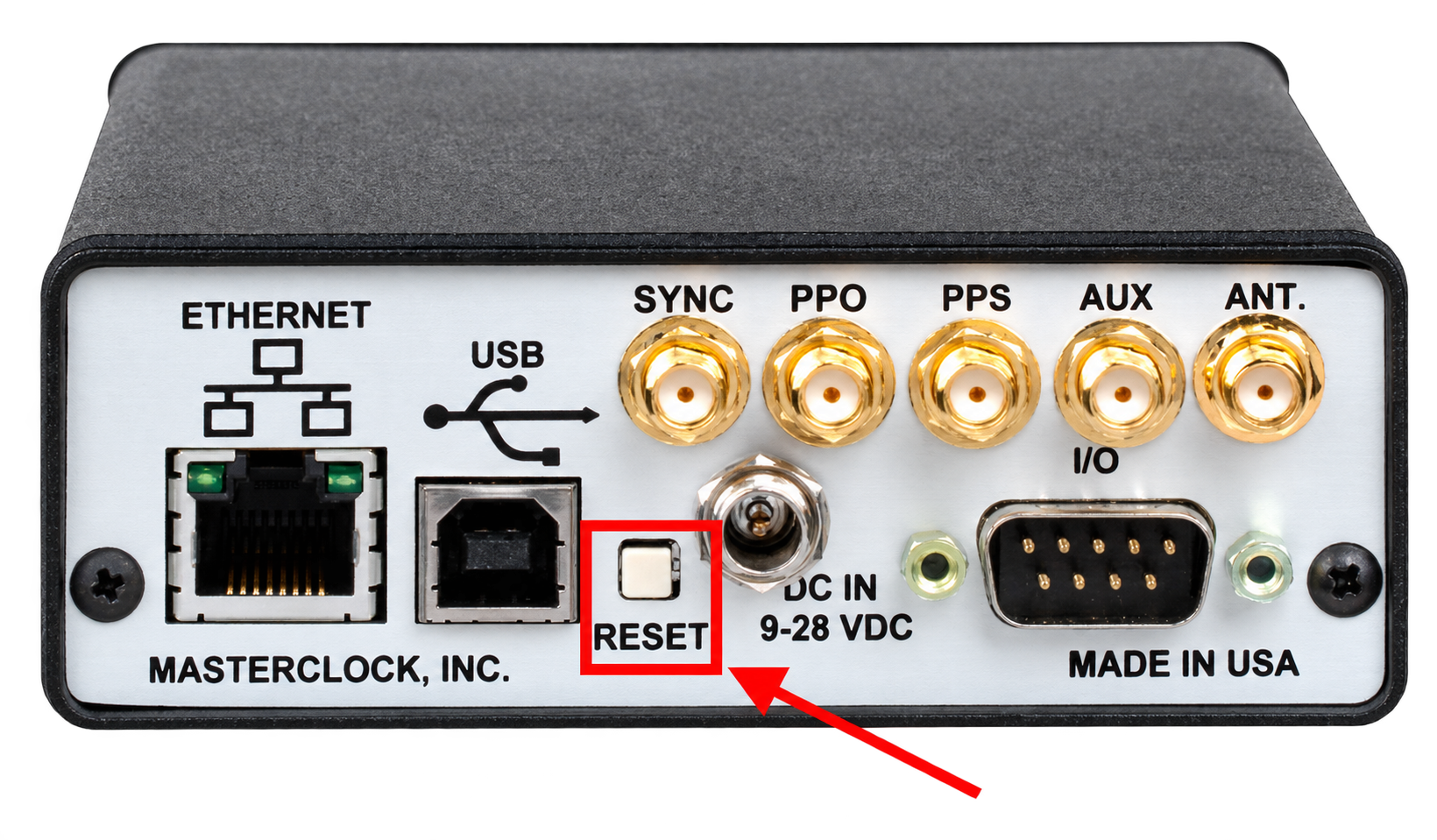
Example of a Reset button near the USB connection. - With the device powered on, press and hold the Reset button for a minimum of 10 seconds.
Some devices may appear to reboot after a few seconds. Continue holding for a full 10 seconds.
- Connect to the device using WinDiscovery over network or USB, and attempt to access Device Settings using the default factory password public.
Explanation
Masterclock devices that support passwords do not provide a password readout or recovery mechanism. If the password is lost, you must return the unit to a known state by performing a factory reset.
Global Password in WinDiscovery does not change the device password by itself. It simply helps you avoid repeatedly typing the same password when multiple devices share the same credentials.
Applies to
This applies to Masterclock products that support password-protected access (for example GMR, NTDS, NTP100, and RC). It does not apply to products that do not support passwords (for example DA12 or PSU45).
Article ID: KB-AUTH-001
KB Version: